
This help page reflects the current version of the MEP including its features, tabs, reporting tools, and analysis and prediction capabilities.
Report Generation (PDF)
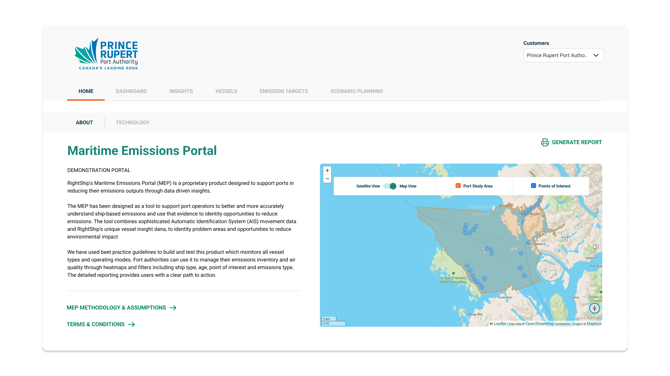
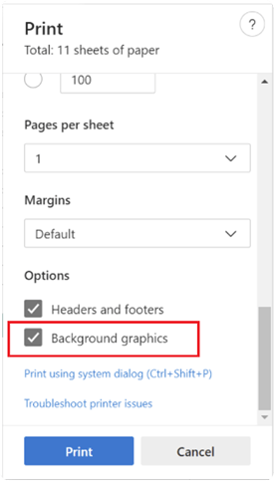
From any core page (Home, Dashboard, Insights, Year-on–Year) a report can be generated for a specific client need. Select ‘Generate Report’, choose the charts you wish to include, enable background graphics in your browser’s print dialogue, set layout to landscape, and export to PDF. Each selected chart appears on its own page, fully branded with your port identity.
What is the MEP?
The MEP is RightShip’s emissions intelligence tool for ports and terminals, modelling vessel level greenhouse gases (GHG), and air pollutants with high resolution to deliver clear analytics, hotspot identification, trend tracking, and decarbonisation and air quality forecasting. It helps ports track emissions performance over time, identify key vessels and activities driving impacts, measure progress against targets, and produce port branded Scope 1 and Scope 3 reports.
MEP sits inside the RightShip Platform and provides a tailored overview of your port’s boundary with fine scale details of the logo, name/description, studied port boundary, and Points of Interest (POI) such as berths, terminals, anchorages, and manoeuvring/tug zones, which can be navigated through within the product.