
Set and manage your own emissions targets. Ports start with a default target configuration that can be updated at any time.
How it works
- Add up to sixteen additional emission types (port specific) via “Add a new emission type.”
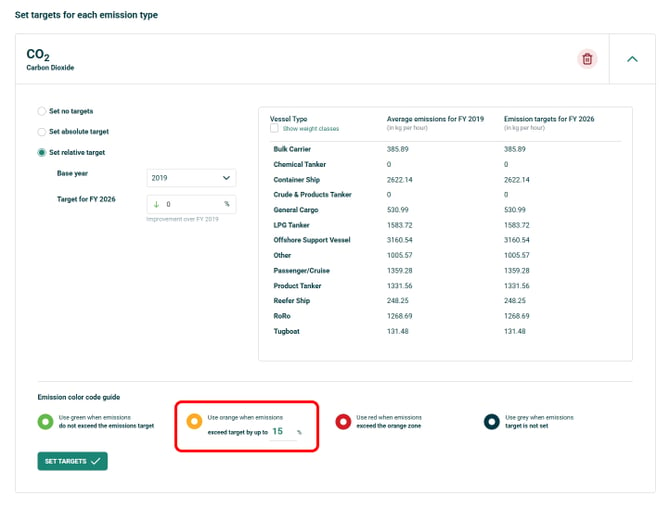
- Define targets per emission type in intensity (kg/hour), by Vessel Type and/or DWT category in terms of average and target emissions.
- Choose target format:
- Absolute (kg/hr) — manually set per emission type and category.
- Relative (% improvement vs baseline) — specify % reduction from a baseline year and MEP auto‑calculates the targets for the selected year. Targets can be refined by vessel types and DWT tonnage groups for greater precision.
- At the bottom of each emission, tailor the traffic light system (red, amber, green) by editing the ‘amber’ percentage (red square in image) based on port requirements.
These outcomes are reflected in the emissions targets traffic‑light system throughout the MEP tabs, clearly indicating performance against defined thresholds.